How to Reply to a DM on Instagram Without Losing the Conversation
Blog

How to reply to a DM on Instagram
To reply to a direct message on Instagram, open your messages, choose the conversation, write your response in the message field and send it. If you want to respond to one particular message inside a longer conversation, use Instagram’s reply action on that message before typing your answer. The exact controls can vary by device and app version, but the basic process is the same.
Sending a reply is easy. Writing one that keeps a useful conversation moving takes more thought, especially when Instagram brings leads into your business.
A strong reply usually does four things:
- Acknowledges what the person said. Show that you read the message instead of jumping directly into a pitch.
- Uses relevant context. Mention the question, goal or problem they shared.
- Asks one useful question. Choose a question that helps you understand what they need.
- Gives a clear next step. Continue the conversation, share the requested resource or explain what should happen next.
A simple structure is: acknowledge + context + question + next step.
For example: “Thanks for reaching out. It sounds like you’re getting plenty of inquiries but losing track of the follow-ups. Roughly how many conversations are you handling each week?”
That answer feels personal because it responds to the actual message. It also gives the other person an easy reason to reply.
If valuable conversations are already getting buried beneath new messages, try Mochi free for 7 days and organize the leads inside your Instagram inbox.
What to say in common Instagram DM situations
The best response depends on why the person messaged. These examples are starting points, not scripts to paste into every conversation. Adapt the wording to what the person actually said.
When somebody asks a general question
Answer the question first, then ask for the detail needed to help them properly.
Example: “Yes, we can help with that. Are you managing the DMs yourself right now, or does somebody on your team handle them?”
When somebody replies to a Story or comments a keyword
Give them what was promised while the reason for the conversation is still clear. If the response suggests genuine interest, follow with one relevant question.
Example: “Thanks for replying. Here’s the guide you asked for. What is the biggest problem you’re having with your Instagram conversations right now?”
When somebody compliments your content
Not every DM needs to become a sales conversation. Thank the person naturally. If their message includes a relevant problem or question, continue from there.
Example: “Thank you, I’m glad that part helped. Are you dealing with the same problem in your own business?”
When a potential customer asks about the offer
Do not rush straight to a calendar or checkout link. First find out what they want to solve and whether the offer is relevant.
Example: “Happy to explain. Before I point you in the right direction, what result are you trying to get, and what have you tried so far?”
When somebody raises an objection
Acknowledge the concern before answering it. Avoid arguing or sending a long defensive message.
Example: “That makes sense. It sounds like your main concern is finding the time to put this into practice. What would the process need to look like for it to feel manageable?”
When the person has gone quiet
Use the context from the earlier conversation. A message such as “Are you still interested?” makes the person repeat information they may have already given you.
Better example: “You mentioned you wanted to revisit this after your launch. How did it go, and is improving the DM process still a priority?”
A good DM reply is personal, but it also needs direction
Friendly replies can still go nowhere. For a business, the purpose is not to force every conversation toward a sale. It is to understand who the person is, decide whether you can help and make the appropriate next step clear.
Before replying, check:
- What brought this person into the DMs?
- What have they already told you?
- What question would reveal the most useful information?
- What is the right next step for this conversation?
Keep the answer easy to read. One relevant question is usually more useful than five questions sent at once. Match the tone of the conversation, use plain language and avoid sending a generic pitch before you understand the person.
Do not confuse speed with quality
A quick answer matters when a conversation is active, but speed alone does not create a good response. If the person explained their situation last week, a fast message that ignores it can make them feel as though nobody listened.
This becomes harder when several people manage the inbox. One team member may start the conversation, another may continue it, and neither may remember an important detail buried higher in the chat.
Mochi’s Conversation Summaries bring the useful context next to the conversation, including the person’s goals, pain points, objections and important details. Its AI Reply Assistant can then suggest a response using the full conversation and business context. The person handling the inbox still decides what gets sent.
If you want your team to reply with context without reading through every old message, start a 7-day free trial of Mochi.
How to manage replies when the inbox gets busy
The normal Instagram inbox puts recent activity in front of you. That makes it natural to answer the newest message first. But the newest message is not always the most important one.
A person who sent a compliment a minute ago can appear above somebody who already answered your questions and wants to book a call. If the team always works from the top down, it can stay busy all day while qualified people wait.
Turn the inbox into a work list
For a small inbox, you can create a simple manual routine:
- Identify conversations that need an immediate reply.
- Separate people who look like a good fit.
- Record who needs a follow-up and when.
- Note when a calendar or checkout link has been sent.
- Review older conversations before starting with every new message.
The system matters more than replying to the largest possible number of people. Good leads should not disappear simply because another Story brought in a wave of new DMs.
Use a dedicated system when memory stops working
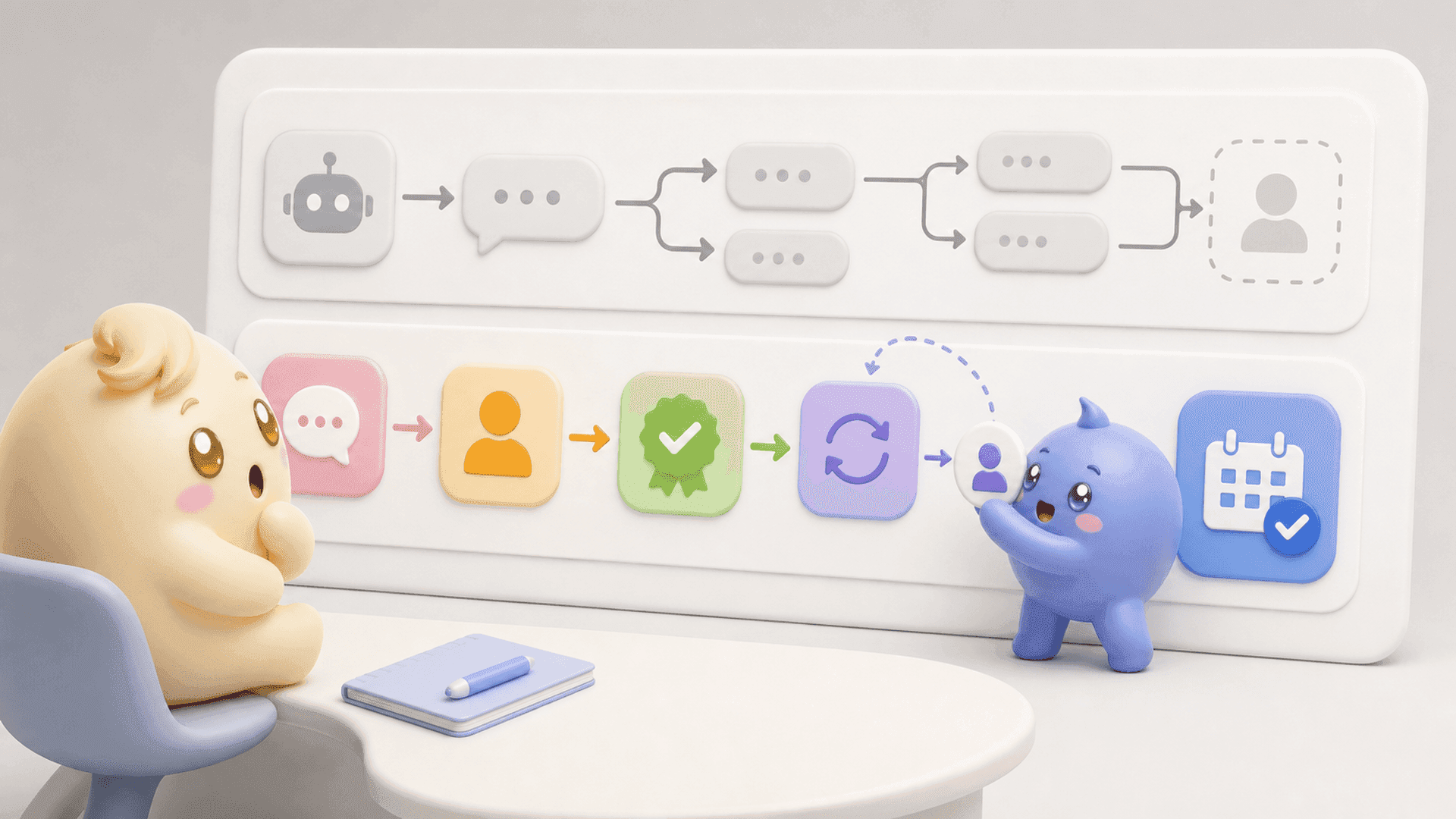
Mochi organizes conversations into stages such as new lead, qualified, follow-up, calendar link sent, booked call and customer. Lead Filters let the team find conversations by details such as stage, owner, date, tag or source. Scheduled Follow-Ups bring an important conversation back at the right time, with an option to skip the scheduled message if the person replies first.
This changes the daily question from “Who messaged most recently?” to “Who needs attention next?” The team can give qualified people timely, informed answers while still responding to new conversations.
A useful Instagram DM reply should show that somebody listened and make the next step simple. As the inbox grows, protecting that standard requires more than better wording. It requires clear priorities, reliable context and follow-ups that do not live inside one person’s head.
To stop losing good conversations beneath random new messages, try Mochi free for 7 days and use it with the leads already entering your Instagram DMs.