A ManyChat Example for Instagram: What Happens After the First DM?
Blog

A simple ManyChat example
A coach publishes an Instagram Reel offering a free training. The call to action says, “Comment GUIDE and I’ll send it to you.” A viewer comments “GUIDE,” and a ManyChat automation sends the promised resource in an Instagram DM.
That is a useful automation because it answers while the viewer is still interested. The coach does not need to send the same link manually to every person, and fewer commenters are missed when a post receives a burst of attention.
A basic version of the flow looks like this:
- The viewer sees an Instagram post or Reel.
- They comment the chosen keyword.
- ManyChat sends an automated DM with the resource or next instruction.
- The viewer opens the message and may reply.
- A founder or team member continues the conversation.
The key detail is step five. Delivering the resource is not the same as creating a customer. If the business sells coaching, a course or another digital product, it still needs to understand the person, decide whether they are a good fit and move the conversation toward a purchase or booked call.
Example first-message sequence
The exact wording should match the offer, but the conversation can follow this simple pattern:
- Automated delivery: “Here’s the guide you asked for.”
- Easy next question: “What are you trying to improve right now?”
- Human continuation: A team member reads the reply, asks relevant questions and decides what the best next step should be.
The automation earns attention by delivering what was promised. The question creates an opening for a real conversation. From there, the quality of the sales process matters more than the trigger itself.
Why the first automated DM is not the whole funnel
ManyChat is useful for starting and automating conversations. A keyword, Story reply or comment can trigger the first message and move someone into a flow. But an Instagram DM sales process usually becomes less predictable after the person replies in their own words.
Imagine that several people receive the guide. One sends a thank-you emoji. Another explains a problem your offer solves. A third says they want help and asks how to book. Those conversations should not all receive the same attention or follow-up.
Inside a normal Instagram inbox, the newest message rises to the top. That means a fresh emoji can appear above the person who already asked to book a call. When the inbox becomes busy, the team can answer quickly all day and still leave the most valuable conversations waiting.
The same problem appears later in the journey:
- A promising lead answers the qualifying questions but is pushed down by new messages.
- A person asks to continue tomorrow, but nobody remembers to follow up.
- A calendar link is sent, yet the team does not know whether the person opened it or booked.
- A second team member takes over without knowing what the lead said earlier.
- The founder sees comments and DMs coming in but cannot tell which source created qualified calls or customers.
This is why a good ManyChat example should not end with “the message was sent.” The useful business question is what happened next.
If you want to organize what happens after people enter your Instagram DMs, try Mochi free for 7 days and use it with the conversations already coming into your business.
Build the process after the ManyChat flow
You can improve the next part of the journey before adding another tool. Start by defining a small, consistent process that anyone handling the inbox can follow.
1. Decide what makes a lead worth attention
Write down the signals that matter for your offer. These might include having the problem you solve, wanting support within a realistic timeframe and being ready for the appropriate next step. Do not treat every keyword comment as a qualified lead.
2. Use clear conversation stages
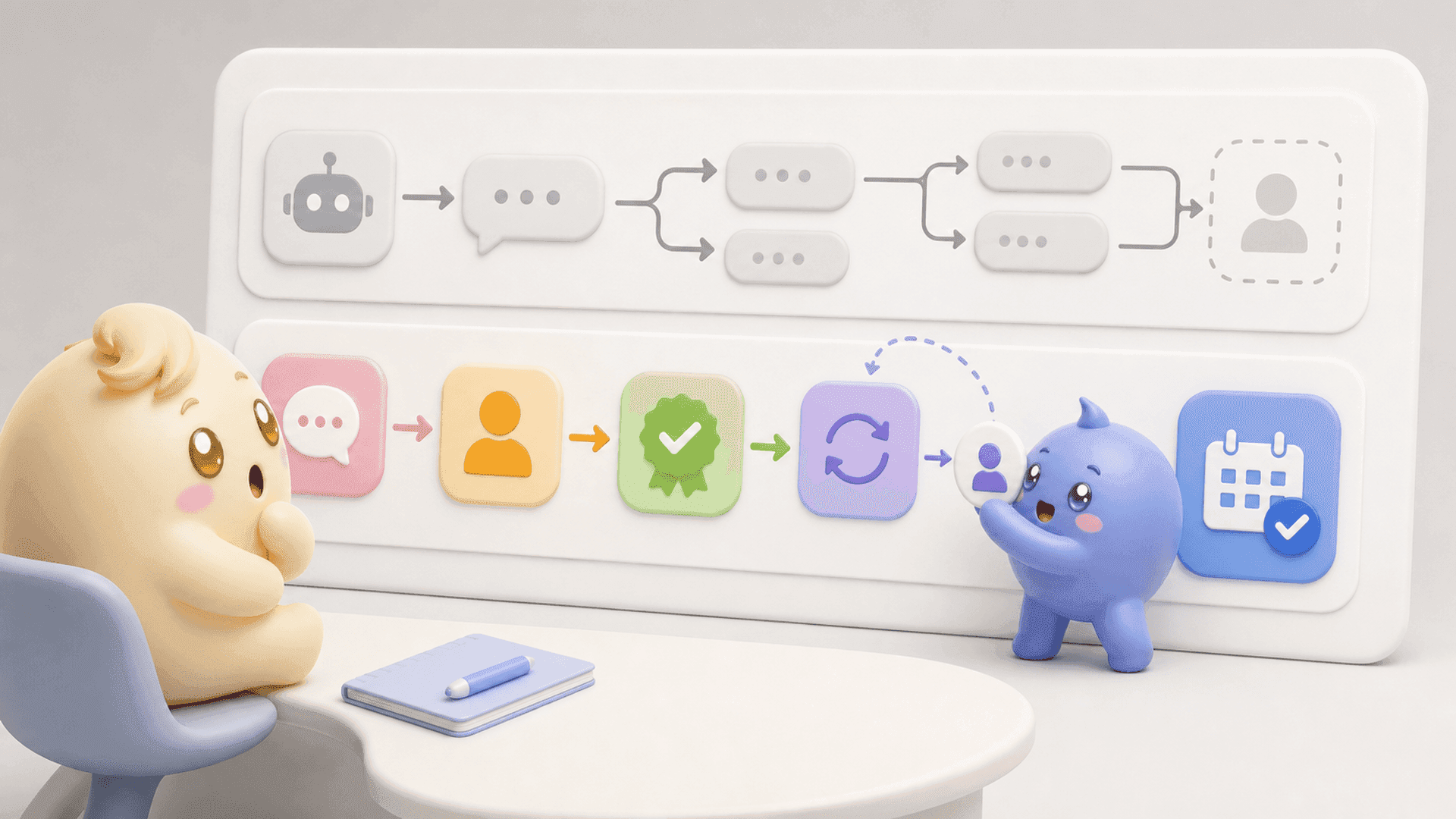
A practical funnel might include new lead, in contact, qualified, follow-up, calendar link sent, booked call and customer. The stages should describe what actually happened, not what the team hopes will happen.
3. Give every conversation an owner
If several people handle DMs, make one person responsible for each active conversation. Clear ownership prevents two people from replying at once and reduces the chance that everyone assumes somebody else will follow up.
4. Separate priority from recency
Do not work only from the top of the inbox. Check qualified conversations, promised follow-ups and people who have received a calendar link before spending the whole day on random new messages.
5. Record the next action
Every meaningful conversation should end with a clear next step: reply now, follow up on a specific day, send the booking link or close the conversation. A vague mental note is easy to lose when another content push brings in new DMs.
6. Measure movement, not just messages
Track how many conversations started, became qualified, received a calendar link, booked and became customers. A large number of automated messages can look impressive while hiding a weak sales process.
A useful weekly review asks:
- Which posts or Stories started qualified conversations?
- Where did the largest number of suitable leads stop moving?
- Which follow-ups brought people back into the conversation?
- Did people disappear before or after receiving the calendar link?
- Which messages helped leads continue, and which were ignored?
These questions connect the automation to the outcome the business actually wants. They also show whether the next improvement belongs in the content, first message, qualification, follow-up or booking step.
Where Mochi fits alongside ManyChat
A business does not need to remove its existing ManyChat flows to use Mochi. ManyChat can continue handling the automations that start conversations. Mochi gives the founder and team a system for managing what happens around and after those conversations begin.
In the example above, the workflow could continue like this:
- ManyChat sends the guide after the keyword comment.
- The viewer replies and the conversation appears in the team’s sales process.
- Mochi helps the team find qualified people and follow-ups instead of working only from the newest message.
- Conversation Summaries show the important context without making the next person reread the entire chat.
- Scheduled Follow-Ups bring interested people back at the right time and can be skipped if they reply first.
- Calendar Link Tracking shows who received the booking link, who opened it and who booked.
- Content Attribution connects the original content to the qualified leads, booked calls and customers it created.
The distinction is simple: ManyChat is useful for starting and automating conversations. Mochi is built to run and improve the Instagram DM sales operation after and around those conversations, including priority, context, qualification, follow-up and visibility.
This is not a question of automation versus humans. The first message can be automated while the important sales conversation remains thoughtful and specific. A dedicated system helps the person replying see what the lead already said, what should happen next and which conversations deserve attention first.
If your current flow successfully creates DMs but qualified people still get lost before they book or buy, try Mochi free for 7 days and organize the leads already inside your Instagram inbox.
The complete ManyChat example, in one view
A strong comment-to-DM funnel follows this chain:
Content creates interest → automation delivers the promise → a real reply reveals the person’s situation → the team qualifies and follows up → the right next step is offered → the business tracks whether the lead booked or bought.
The automated message matters, but it is only the opening. The money is often won or lost in the conversations that follow.
To give your team a clearer way to handle those conversations, start a 7-day free trial of Mochi.